
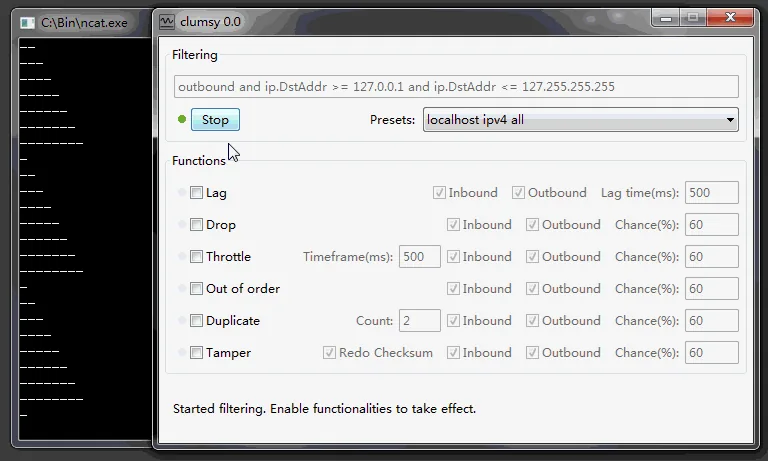
The official GitHub Releases API checked on October 8, 2026 still identifies 0.3 as the latest published final release. This page is an index, not a second copy of the homepage download panel: it explains release status and sends you to the verified 0.3 facts, GitHub source and official-versus-unofficial review.
01
What the current Clumsy versions page tells you
Start with provenance and purpose before comparing a number in a search result.
A version index should answer two different questions. First, which release is published by the project owner? Second, which archive and detailed instructions fit the Windows machine and test you actually control? For Clumsy, the first answer is 0.3. The official API response checked on October 8, 2026 returned the non-draft, non-prerelease tag 0.3 with six ZIP assets. No official 0.4, 0.5 or 0.6 release was found in that first-party release history.
That does not mean every page that mentions a larger number is malicious, and it does not make an internal rebuild equivalent to the public release. It means the label needs a source trail. If a package cannot be connected to the jagt/clumsy repository, a release tag, a matching archive name and a reviewable checksum, keep it outside the official version list. The separate official versus unofficial guide explains how to handle those claims without distributing unknown binaries.
- Use the official tag and release page as the version anchor.
- Match the archive architecture to the Windows installation you are testing.
- Record the exact filename, byte size and SHA-256 when a binary enters a lab.
- Treat a higher number on a mirror, forum or fork as a claim that needs separate review.
02
The verified official release: Clumsy 0.3
The official Clumsy versions record below is the stable starting point for this release family.
GitHub lists Clumsy 0.3 as a final release published on October 21, 2023. The project is a portable Windows utility: the release assets are ZIP archives rather than a custom installer. The page for Clumsy 0.3 download and release notes keeps the full architecture table, A/B/C explanation, asset checksums and release-note details in one place so that this index can stay focused.
The six assets are organised into Win32 and Win64 groups, each with A, B and C variants. The suffix is a WinDivert signature choice described by the release context; it is not a promise that one letter has more features. Start with the A archive when it matches your approved environment, then keep the selected filename in the test record. If the architecture or endpoint policy is uncertain, stop and ask the device owner rather than trying random packages.
| Fact | Verified value | Why it matters |
|---|---|---|
| Release tag | 0.3 | The tag is the official version boundary checked by the API. |
| Publication | 2023-10-21 | A date explains why a newer-looking mirror label needs evidence. |
| Platform | Windows portable ZIP | There is no site-created installer to treat as an official package. |
| Architectures | Win32 and Win64 | Choose the archive that matches the Windows environment under test. |
| Variants | A, B and C | The suffix identifies the documented WinDivert signature family. |
| Primary source | jagt/clumsy GitHub Releases | The source trail is more reliable than a download button on an unknown mirror. |
03
Choose Win64 or Win32, then choose A, B or C
The safest Clumsy versions choice is the smallest archive that matches the machine and approved driver policy.
Most modern Windows installations are x64, but do not guess when the test environment is managed or unusual. Check the System type in Windows settings or use the architecture already recorded for the application image. Win64 and Win32 are separate archives; selecting the wrong one can look like a startup problem and can distract from the real compatibility issue.
After architecture, select a documented signature variant. The A, B and C files are not three editions with different user-facing features. They exist so that the release can offer different WinDivert signatures for environments that apply different driver policies. The version page records the exact sizes and hashes for the primary A archives; for B or C, keep the full release filename and calculate a fresh checksum rather than copying an A value.
- Confirm the architectureRecord x64 or x86 for the Windows machine and the application build under test.
- Open the official 0.3 releaseUse the release page so the tag, asset list and source context remain visible.
- Choose one signature variantStart with the approved A/B/C choice and keep the exact filename in the test record.
- Verify before executionCompare the archive name, byte size and SHA-256, then extract the complete portable package.

04
How to read a higher Clumsy version claim
A bigger Clumsy versions number is a prompt for provenance review, not proof of a newer official release.
Search results sometimes mention Clumsy 0.4, 0.4 v2, 0.5 or 0.6. The official release check for this page did not find those tags in jagt/clumsy's published history. That is a precise statement about the checked source, not a claim that nobody has ever built a fork. An organisation may maintain a private rebuild, and a community fork may have a different purpose. Those are separate artifacts with separate maintainers, source changes, build instructions and security review.
When evaluating a claim, start with the maintainer identity and repository URL. Then compare the release tag, source commit, archive contents, build process and checksum. A page that only offers a renamed ZIP, a countdown, a request to disable protection or a promise of an undetectable lag switch is not a trustworthy version record. It should not be promoted into this list simply because the filename looks plausible.
- A higher version number without an official tag is unverified.
- A fork must identify its maintainer, source differences and build process.
- A repackaged installer is not the same thing as a portable release ZIP.
- Never use an unverified package to bypass Defender, anti-cheat or an organisation's policy.
05
Choose the next page by the question you have
A useful Clumsy versions index shortens the path to the evidence you need.
Open the 0.3 page when you are ready to compare Win32 and Win64 archives, read the A/B/C facts or verify the primary A checksums. Open the GitHub page when you need the repository, release list, project website or source context. Open the official-versus-unofficial page when a search result claims 0.4, 0.5 or 0.6 and you want to know what is actually verified.
If your real question is how to run a test after choosing a release, use How to use Clumsy. It covers a narrow filter, one impairment, baseline evidence, observation and recovery. The focused latency, packet-loss, bandwidth and out-of-order guides then handle different conditions without turning a version page into a long troubleshooting manual.
| Your question | Open next | What you will find |
|---|---|---|
| Which official archive should I download? | Clumsy 0.3 facts | Architecture, A/B/C choices, asset sizes and checksums. |
| Where is the source and release history? | Clumsy GitHub guide | Repository, Releases, project website and source context. |
| Is 0.4 or 0.6 official? | Official vs unofficial versions | A source-based answer and a review checklist for other builds. |
| How do I test delay or loss? | How to use Clumsy | A narrow, reversible workflow with observation and recovery. |
| Why did Windows Security warn? | Windows Defender guide | Provenance checks, detection review and owner-approved response. |
06
Keep Clumsy versions checks repeatable
A short record protects the next person who has to reproduce the test.
Save the API or release-page URL, the date checked, the tag, the exact asset filename, the archive size and the full SHA-256. Add the Windows architecture, the selected A/B/C variant and the reason the test is authorised. This is enough to distinguish a known 0.3 asset from a similarly named download that arrived through a different route.
When a new official release appears, re-check the project history before changing this index. Update the tag, publication date, asset links, sizes, checksums, metadata, FAQ and the linked version page together. If only a forum or mirror changes its number, leave the official status unchanged and link readers to the provenance review instead.
Clumsy is for systems and traffic you own or are explicitly authorised to test. This site does not provide anti-cheat bypasses, concealed lag switching or disruption instructions.
FAQ
Clumsy versions FAQ
Which Clumsy versions are official today?
The official jagt/clumsy GitHub Releases API checked on October 8, 2026 identifies 0.3 as the latest published final release. This page does not treat a larger number on an unrelated mirror as an official update.
Is Clumsy 0.4 an official release?
The checked official release history does not list a 0.4 tag. A fork or private rebuild may use a different number, but it needs its own maintainer, source and build evidence before it can be called official.
What is the difference between Clumsy Win32 and Win64?
They are architecture-specific ZIP archives. Match Win32 or Win64 to the Windows installation and application environment you are testing; do not choose by filename alone when the device is managed.
What do the A, B and C Clumsy files mean?
The suffixes identify the documented WinDivert signature variants in the 0.3 release. They are not feature tiers. Start with the variant approved for your environment and record the exact archive and checksum.
Where can I verify Clumsy versions and 0.3 files?
Use the official jagt/clumsy release page and the detailed Clumsy 0.3 page on this site. Compare the filename, byte size and full SHA-256 before extracting an archive.