
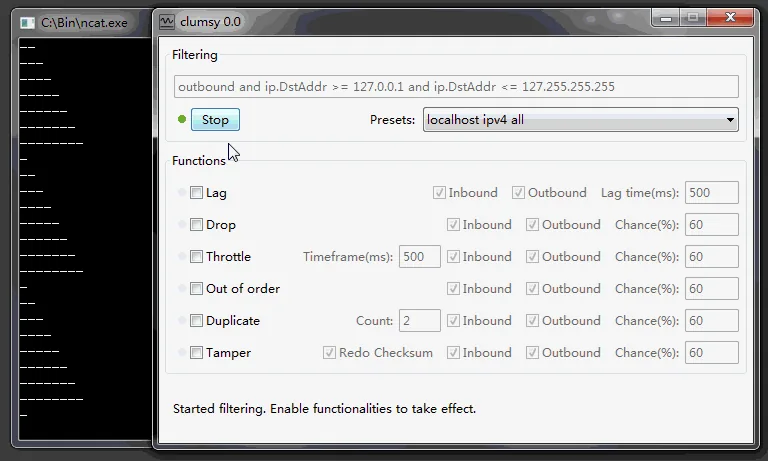
For a bandwidth throttling test, measure the same transfer without Clumsy, choose one authorized target, use the narrowest filter you understand, enable Throttle without other impairment modules, record the observed throughput and then stop Clumsy before rerunning the baseline. The result is a local test condition, not an exact provider-side Mbps diagnosis.
01
What a bandwidth throttling test measures
The keyword sounds simple, but two different questions are often mixed together.
Bandwidth throttling is a deliberate reduction in how quickly data can be transferred over time. In an authorized Clumsy test, the Throttle module applies a constrained delivery condition to packets matched by your filter. The application still uses its real Windows network path, so you can observe progress bars, upload queues, buffering, request scheduling and timeout behavior in the build you actually ship. A bandwidth throttling test should record both the imposed condition and the application outcome, because observed throughput depends on the filter, protocol, packet sizes and endpoint.
That is different from diagnosing ISP throttling. An Internet provider may limit a plan, service, time period or type of traffic; Clumsy does not tell you why a provider is slow and it does not repair a home connection. The related phrase internet throttling is therefore useful as a boundary explanation, not as a reason to turn this page into an ISP troubleshooting article.
Clumsy is also not a laboratory-grade rate meter. The observed result depends on the filter, direction, packet sizes, protocol, round-trip time, server behavior, local CPU load and the Throttle setting. Use the module to create a repeatable constrained-throughput scenario, then measure the actual transfer with the same tool and data set on every run. For the module list and official project context, see the official Clumsy documentation.
| Condition | What changes | Useful product question |
|---|---|---|
| Bandwidth throttling | Sustained delivery is constrained | Does a large transfer show honest progress and remain cancellable? |
| Latency | Matching packets wait before delivery | Does the UI explain a slow response and prevent duplicate actions? |
| Packet loss | Some matching packets are discarded | Do retries and reconnects recover without duplicate side effects? |
| ISP throttling | A provider or plan may limit traffic | Is the home connection restricted outside the application? |
| Browser throttling | A browser session applies a preset | Does this page load under a browser-only condition? |
02
Plan the baseline and the filter first
Write one hypothesis before opening Clumsy. For example: ‘With the API download stream constrained, the client should show progress, keep the cancel action available, avoid opening unlimited parallel requests and finish with an accurate checksum.’ This is more useful than asking whether the application simply feels slow, because it tells you what evidence to collect.
Run the same transfer once without impairment. Record the file or response size, start and end time, approximate throughput, visible states, request count and any server-side identifiers. Use a stable test object and endpoint. A tiny request may finish before a throttle condition becomes visible, while a repeatable multi-megabyte transfer gives the constrained behavior enough time to observe.
Define the narrowest filter that covers the authorized target. A host, protocol, port or direction boundary is usually easier to explain than a rule that affects every packet on the computer. Close unrelated downloads, remote sessions and network-sensitive tools. Keep the Stop control visible and make sure the person running the test can restore the baseline immediately.
- One application, endpoint or test transfer per run.
- One documented filter and direction.
- One Throttle condition; keep Lag, Drop, Duplicate, Out of order and Tamper disabled initially.
- A baseline measurement and a written pass condition.
- A planned Stop action and a post-test recovery measurement.
03
Configure Clumsy Throttle without hiding the cause
Open the official Clumsy 0.3 release page and choose the Win64 or Win32 archive there. The release metadata lists Win64 A at 536,789 bytes and Win32 A at 581,772 bytes; this page does not claim that the ZIPs were downloaded or that the direct-file HTTP responses were verified here. Download from GitHub and compare the filename, byte count and SHA-256 before extracting.
Enter the narrow filter, confirm its direction and enable only Throttle. The exact value should come from the test case, not from a dramatic recipe copied from an unknown forum. Begin with a moderate constraint that leaves the transfer observable. If the first run produces no visible difference, verify that the filter matches the intended packets and that the transfer lasts long enough before changing the condition.
Do not describe the setting as an exact 1 Mbps, 5 Mbps or 10 Mbps guarantee unless your own measurement proves that behavior for the specific endpoint and run. Clumsy changes packet delivery; the effective throughput is an outcome to measure. Keep the filter, data size, endpoint, direction and test duration stable while you compare runs.
04
Run one bandwidth throttling test and measure the result
A useful result compares the same transfer under two clearly recorded conditions.
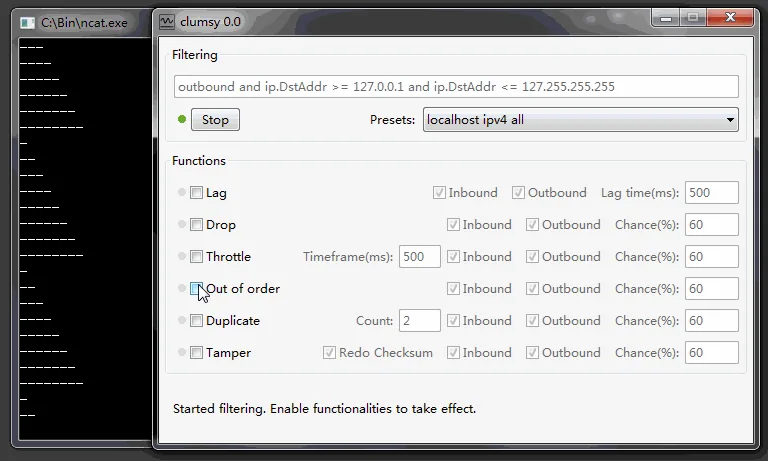
Start the transfer normally and capture the baseline. Then select Start in Clumsy and repeat the identical operation. Observe the application, Clumsy counters, client logs and server timing. If the product uses parallel connections, record that fact: a throttle condition applied to one flow may look different from the same condition applied to a group of flows.
Measure more than the final duration. Calculate or record transferred bytes, elapsed seconds, average observed throughput, time to first progress update, pause duration, retries, cancellation behavior and completion integrity. A page that eventually finishes may still fail if the user receives no feedback for several minutes or if the client starts an unsafe number of duplicate requests.
Keep each scenario separate. If you need a stronger or weaker constraint, stop the current run, write down the result and create a new run with one changed value. Changing the filter and Throttle value while a transfer is active makes the outcome hard to interpret and weakens a bug report.
- BaselineRun the fixed transfer without Clumsy and record bytes, time, throughput and visible states.
- ScopeApply the narrow authorized filter and confirm that unrelated traffic remains outside the test.
- ThrottleEnable only Throttle with the documented scenario value; leave other modules off.
- ObserveRepeat the same transfer and collect UI, client, server and integrity evidence.
- CompareContrast throughput and user behavior with the baseline before drawing a conclusion.
- RecoverSelect Stop, rerun the baseline transfer and record that normal behavior returns.
| Measure | Why it matters | Example evidence |
|---|---|---|
| Observed throughput | Shows the real effect for this endpoint | Bytes divided by elapsed seconds |
| Time to first progress | Reveals whether the UI looks frozen | Timestamp of first visible update |
| Completion integrity | Separates slow from corrupted | Checksum, response length or application validation |
| Retry and concurrency | Shows hidden work created by a slow path | Request IDs, retry count and open connections |
| Recovery | Confirms the impairment ended | Same transfer returns to the baseline range |
05
Choose scenarios that expose a real product risk
A large download is a good first scenario because it gives the constrained condition time to affect progress, cancellation and completion. A file upload can reveal whether the interface preserves the selected file, reports a stalled transfer and prevents an accidental second submission. A media or live-update workflow can expose buffering and reconnect behavior, but it may also depend on server adaptation and should be interpreted with protocol-specific telemetry.
Short API requests need more care. If a request completes before the throttle queue becomes meaningful, the page may show little change even though the condition is active. Use a repeatable response size or a controlled batch of the same read-only operation. Do not start with a payment-like mutation or another irreversible action; network impairment can hide a successful server-side operation behind a slow or missing response.
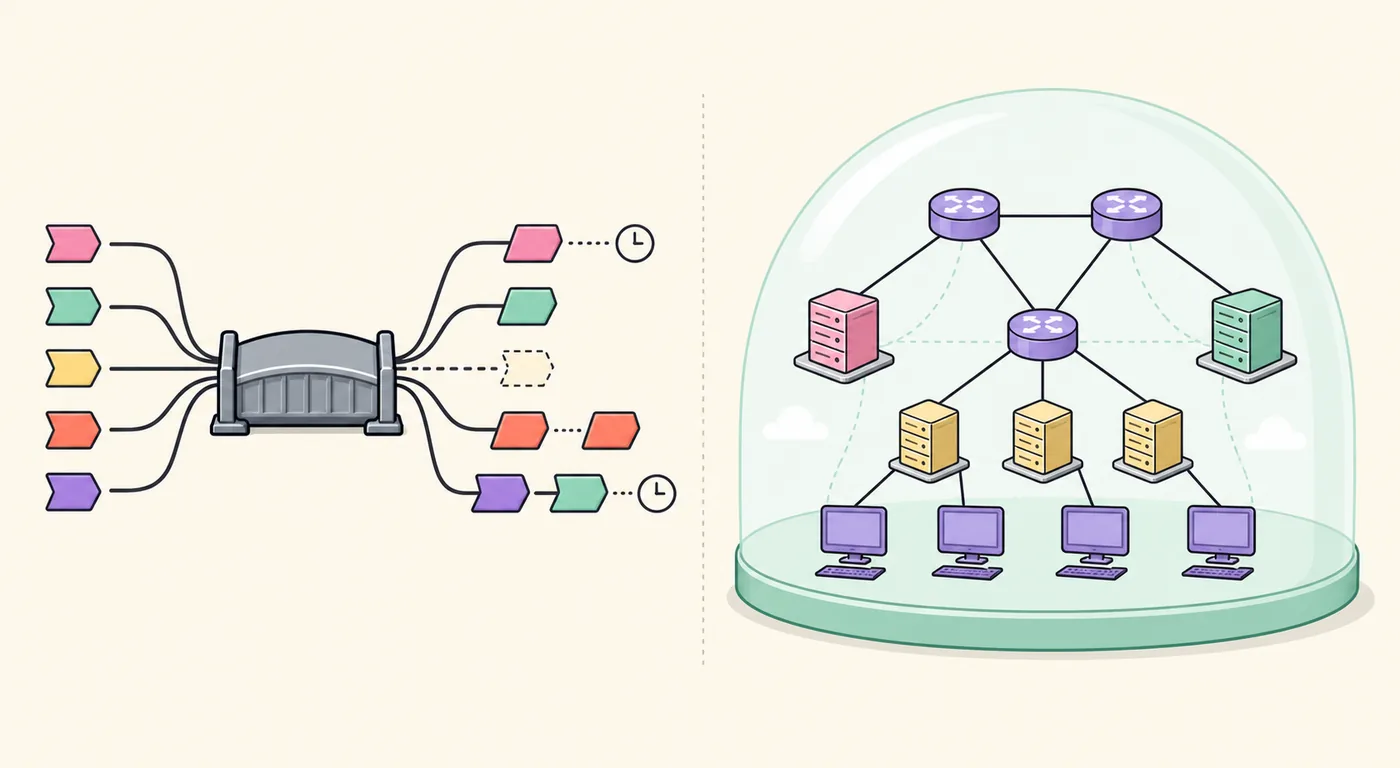
The same distinction helps when selecting another tool. Clumsy is useful for selected packet-condition emulation. A per-application bandwidth manager may be better when the requirement is a policy such as ‘this process may use no more than X Mbps.’ A virtual network simulator may be better for a topology that does not yet exist. The network emulator guide and Clumsy versus NetLimiter comparison explain those boundaries.
| Scenario | What to inspect | Common trap |
|---|---|---|
| Large download | Progress, cancel, completion and checksum | Calling a long transfer successful only because it eventually finishes |
| File upload | Selected file, retry, duplicate submission and server record | Testing a mutation without an idempotency or reconciliation plan |
| Read-only API stream | First byte, buffering, queue depth and timeout | Using a response that is too small to show the condition |
| Media or live updates | Buffering, reconnect and state continuity | Treating server adaptation as a pure Clumsy measurement |
| Per-app rate policy | Process-level cap and traffic accounting | Assuming Clumsy is a precise policy manager |
06
Stop Clumsy and prove the network recovered
Select Stop before changing the filter or starting another test. Repeat the same baseline transfer with Clumsy closed or inactive. Compare throughput, latency, request count, application state and server records. If the result remains abnormal, do not silently continue: preserve the logs, close the tool, inspect other packet drivers or traffic managers and decide whether the environment needs a restart.
A clean recovery check is part of the result, not a courtesy step. It shows that the observed slowdown came from a controlled test condition and that the tester knows how to end it. It also protects other applications on a shared workstation. If Clumsy cannot start filtering, use the existing Error Code 3 troubleshooting guide instead of widening the filter or disabling security controls.
Keep a compact test record: Clumsy version, archive filename, Windows architecture, filter, direction, Throttle setting, data set, baseline, constrained result, logs, start/stop time and recovery result. That record turns a vague ‘bandwidth throttling’ complaint into a reproducible QA case.
- Do not throttle all traffic when a smaller authorized filter is enough.
- Do not combine Lag, Drop and Throttle before the single-condition result is understood.
- Do not claim an ISP diagnosis from a Clumsy run.
- Do not test irreversible operations without server-side reconciliation.
- Always stop the impairment and rerun a known baseline.
Use Clumsy only for systems and traffic you own or are authorized to test. This guide does not support game cheating, anti-cheat bypasses, concealed lag switching or disruption of third-party services.
FAQ
Bandwidth throttling with Clumsy FAQ
Is Clumsy an exact Mbps bandwidth limiter?
Do not assume it is. Throttle creates a constrained delivery condition, but the observed throughput depends on the filter, protocol, packet sizes, endpoint and other system factors. Measure the actual transfer for each documented scenario.
What should I test first with Throttle?
Start with a repeatable large read-only transfer, a narrow authorized filter and one documented Throttle condition. Record baseline throughput, progress feedback, cancellation, completion integrity and recovery before testing stronger boundaries.
Why did a small request show no throttling?
A short request may finish before the condition becomes visible, or the filter may not match its packets. Confirm the filter and use a larger stable response or longer transfer when the test question concerns sustained throughput.
Does this page diagnose ISP throttling?
No. ISP throttling is a provider or plan question. Clumsy creates a local, controlled condition for an authorized application test; it cannot identify why a home or carrier connection is limited.
How do I know the test is over?
Select Stop, close or deactivate Clumsy as appropriate, repeat the same baseline transfer and compare the result. If normal behavior does not return, preserve evidence and investigate the local environment before continuing.
What is network throttling in a Clumsy test?
Network throttling is a deliberate reduction in the delivery condition for selected traffic. In Clumsy, measure the actual transfer instead of assuming an exact Mbps cap, and do not use this local test as proof that an ISP or router is throttling the connection.