
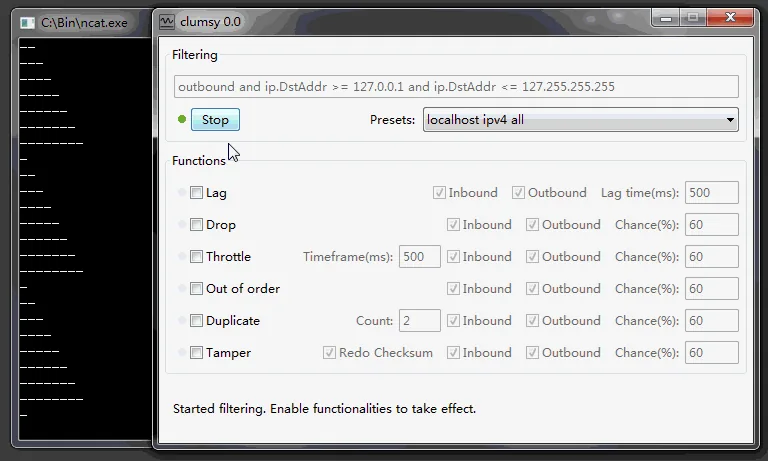
Clumsy can create a lag-like condition by delaying traffic that matches a WinDivert filter. Use one modest value against an authorized target, measure the baseline, select Stop after the observation and confirm recovery. No undetected game setting or anti-cheat bypass is provided here.
01
What “Clumsy lag switch” means in a safe test
The phrase combines a product name with a behavior, so the intent matters as much as the setting.
Clumsy is a Windows network condition simulator. It intercepts matching packets through WinDivert and can delay, drop, throttle, duplicate, reorder or tamper with them. A lag switch is a broader phrase for deliberately creating a delay or interruption in network traffic. That makes Clumsy technically capable of producing a lag-like condition, but capability alone does not define a safe use case. A safe Clumsy lag switch test is a documented, reversible latency experiment with an owned target, a narrow filter and an explicit recovery check; it is not a hidden control for another user’s game session.
For a developer or QA engineer, the goal is observable behavior: does an application show a loading state, retry a request, preserve form data or recover after the connection improves? The test should identify the application, endpoint and expected result before Clumsy is started. A broad rule that affects every connection is harder to diagnose and can make the computer appear broken.
For a multiplayer match, another person’s service or an anti-cheat protected environment, deliberately changing traffic to gain an advantage is a different activity. This page does not provide hidden settings, bypasses, game-specific filters or methods for making a disruption look accidental. For normal setup, use the complete Clumsy guide; for the higher-level tool choice, see the network emulator guide.
| Question | Controlled QA test | Disruptive use |
|---|---|---|
| Who owns the traffic? | Your application, device or authorized test environment | Another user, service or protected session |
| What is the goal? | Measure delay handling, retry logic or recovery | Create an advantage or make a service unreliable |
| How is scope set? | Narrow filter, one impairment and a recorded baseline | Broad or concealed traffic changes |
| What happens afterward? | Stop Clumsy and confirm normal connectivity | Leave other users with an unexplained interruption |
02
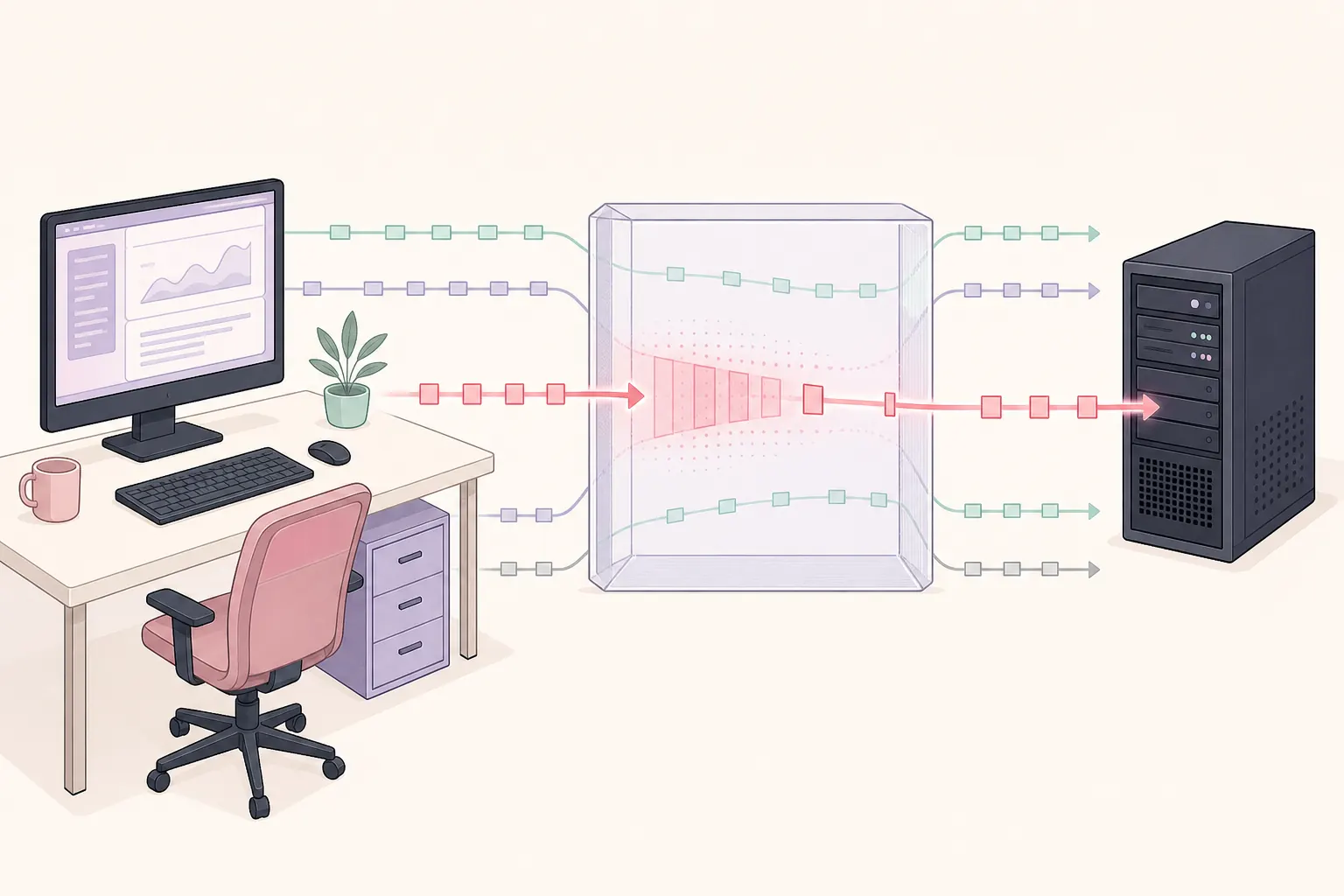
How to run a controlled Clumsy lag test
A repeatable test is safer than experimenting with several aggressive controls at once.
Begin with a non-critical application or a local test service. Write down a baseline such as normal request time, timeout threshold, loading indicator behavior and the expected recovery result. If the application handles sensitive data, save work and use a disposable account or staging environment. Keep the official Clumsy 0.3 release and its checksum available so a problem is not confused with an unverified binary.
The first run should change one variable: Lag. A delay of 200–300 milliseconds is usually easier to interpret than an extreme value. Use the smallest filter that reaches the test endpoint, select only the direction you need to observe when appropriate, start the test, perform one known action and collect evidence. Then select Stop before changing the next setting.
- 1. Define the testName the application, target host or port, expected behavior and recovery check before opening Clumsy.
- 2. Verify the archiveUse the official 0.3 release, extract the complete ZIP and compare the file name and checksum when the test is important.
- 3. Record the baselineMeasure normal response time and note what the user sees before any impairment is enabled.
- 4. Set a narrow filterMatch only the authorized traffic needed for the scenario rather than every inbound and outbound packet.
- 5. Add one delayEnable Lag, enter a modest value, select Start and run one repeatable action in the application.
- 6. Stop and compareSelect Stop, confirm the baseline returns and save the exact filter, value, timestamps and observations.
03
Choose a narrow filter and modest delay
The filter is the boundary of the experiment; the delay is only one part of the test condition.
A filter that matches all traffic may affect browsers, chat, updates, remote sessions and the test application at the same time. That creates noise and can make recovery difficult. Prefer a known host, protocol or port that represents the application under test. If you cannot explain what a filter matches, do not paste it into Clumsy just because it appeared in a forum or video.
Direction can change the result. Delaying outbound requests may test how the client waits before a request reaches the server; delaying inbound responses may test loading feedback and timeout handling. A real application can use both directions, but start with the smallest scope that answers the question. Keep a copy of the original filter in the test record so another person can reproduce or review it.
Do not confuse configured delay with total user-perceived latency. The network already has its own round-trip time, and Clumsy adds an impairment to matching packets. If the test needs a precise number, measure the baseline and report the added setting separately. The jitter guide is useful when the problem is variation between packets rather than one fixed delay.
| Test question | Safer first condition | Evidence to collect |
|---|---|---|
| Does a client show a loading state? | One staging endpoint with 200–300 ms Lag | Screen recording or timestamps, request ID and UI state |
| Does a request time out cleanly? | A narrow filter and a delay below the normal timeout | Client logs, server logs and the exact timeout threshold |
| Does a retry duplicate an operation? | A test account and one controlled request | Request IDs, idempotency result and server-side record |
| Does the app recover? | Short test window followed by Stop | A second baseline measurement and connection check |
04
What to measure during the test
A lag test is useful only when the result can be compared with the baseline.
Record more than a slower page. Look for when the user action is acknowledged, whether a spinner appears, how long the application waits, whether a cancel action works and whether a retry creates a duplicate request. On the service side, keep request IDs, timestamps, status codes and any timeout or retry logs. If a response is missing, do not assume that the server never processed the original request; the response itself may have been delayed or dropped.
For a browser or desktop client, capture the application version, Windows version, Clumsy version, filter, direction, configured delay and baseline. Repeat the same action at least twice without changing the test condition. A single slow result can come from a background update, a server queue or a local resource issue rather than the intended impairment.
Keep the test window short. Clumsy changes live traffic on the computer, so unrelated downloads, calls and remote sessions can become misleading or unstable. If the test begins to affect work outside the target, select Stop immediately, restore normal connectivity and narrow the filter before trying again.
- Baseline and impaired response times
- Client-visible loading, timeout and retry states
- Server request IDs, timestamps and status codes
- Exact filter, direction, delay value and test duration
- A second baseline after recovery
05
Stop, recover and troubleshoot
Recovery is part of the test, not an optional cleanup step.
Select Stop as soon as the observation is complete. Close or pause the test application, repeat the baseline action and confirm that ordinary browsing or the local service behaves normally. If the computer still cannot connect, check whether Clumsy is still running, whether the filter was broad, whether another packet tool is active and whether the archive was extracted completely. Do not keep increasing values to force a result while the network is already unstable.
If Clumsy reports a filtering startup failure, use the existing Error Code 3 troubleshooting guide. Check architecture, permissions, the complete WinDivert files and conflicting services before attempting any service cleanup. A security warning is not a reason to download a modified build or disable protections blindly; verify the source and review the official project context first.
A good recovery note says what was stopped, what was checked and whether the baseline returned. If normal connectivity does not return after Stop and a restart of the authorized test environment, stop experimenting and involve the system owner. The goal is a reproducible test, not a damaged workstation.
Never leave a system-wide impairment running while you troubleshoot the result. Stop first, prove the baseline, then change one condition at a time.
06
Why this guide does not provide cheat settings
The same technical control can support reliability engineering or misuse, so the boundary is explicit.
This site documents Clumsy for software development, QA, education and authorized troubleshooting. It does not publish game-specific filters, anti-cheat bypasses, concealed lag-switch instructions, packet manipulation intended to win a match or methods for disrupting another person’s service. Those requests have a different risk profile and do not belong in a responsible network-testing guide.
If a search result promises an undetected lag switch, a ping hack or a guaranteed advantage, treat it as a warning sign rather than as a version or download recommendation. Do not run an unknown wrapper, modified executable or file that asks for unrelated permissions. Use the official repository and release history to verify what you are downloading, and use a controlled environment for legitimate tests.
For a real QA need, replace the vague goal “make it lag” with a testable statement: delay the staging API by 250 ms, observe the loading state, verify the retry policy and prove recovery after Stop. That phrasing produces better evidence and keeps the experiment within an authorized boundary.
07
A practical answer to the Clumsy lag switch question
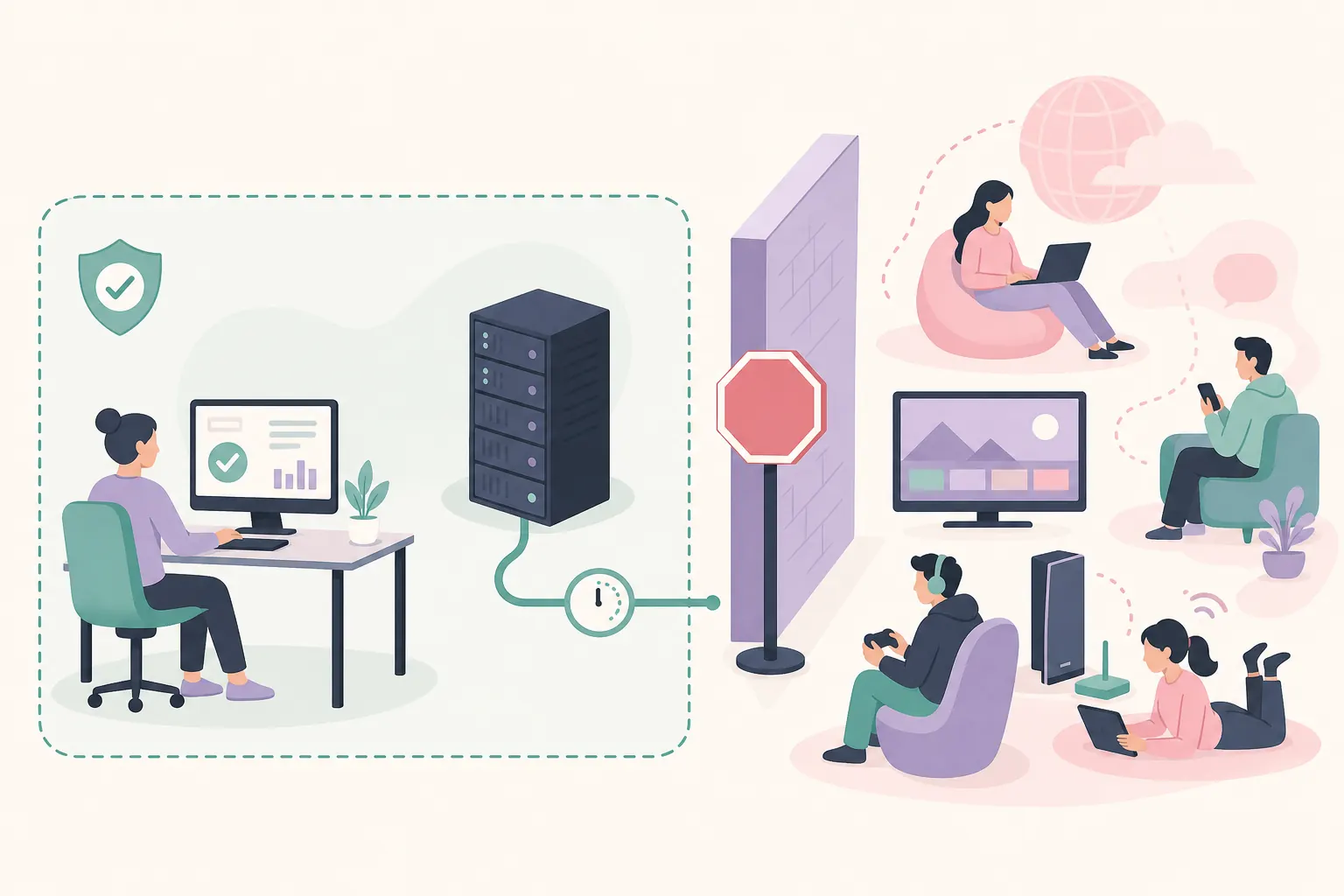
Yes, Clumsy can create a lag-like condition by delaying matching packets. No, that does not make it a safe or acceptable tool for secretly interfering with other players, services or protected sessions. The useful page boundary is controlled testing: define the question, verify the official 0.3 archive, narrow the filter, change one value, measure the result, select Stop and prove recovery.
If you need a complete first-run workflow, continue to How to Use Clumsy. If your test is specifically about a fixed delay, use the Clumsy latency simulator guide; if the issue is packet loss, use the packet loss guide.
FAQ
Clumsy lag switch FAQ
Can Clumsy be used as a lag switch?
Clumsy can deliberately delay matching packets, so it can reproduce a lag-like condition in an owned or authorized test environment. This site does not support hidden lag switching, cheating or disruption of other users.
What is a safe first Clumsy lag value?
For a reversible QA test, begin with a modest 200–300 ms delay against a non-critical target, record the baseline and change only one impairment. The right value depends on the behavior you need to observe.
Should I use an all-traffic filter for a lag test?
Usually no. A narrow host, protocol or port filter is easier to explain, reproduce and recover from. Use an all-traffic rule only when the test is explicitly designed for that scope and the environment is disposable.
Does Clumsy provide an undetected game lag switch?
No responsible guide should promise that. This site does not provide anti-cheat bypasses, game-specific filters or instructions for gaining an advantage in a third-party service.
What should I do if the network stays broken after the test?
Select Stop first, close the test, confirm Clumsy is no longer applying the filter, check the extracted WinDivert files and review the Error Code 3 troubleshooting page. If recovery fails, stop experimenting and involve the system owner.
Is Clumsy 0.3 still the official release?
The official jagt/clumsy release list checked on August 12, 2026 still identifies 0.3 as the latest published release. The CTA opens the official GitHub release page. Direct asset HTTP responses were not confirmed in this environment, so download the asset there and verify its filename, size and SHA-256 locally.
Can I use a Clumsy lag switch in an online game?
Only for an owned or explicitly authorized test environment where the goal is reliability or QA. Do not use Clumsy to gain an advantage, evade anti-cheat controls, disrupt other players or hide a lag condition in a third-party service.